TI-59 emulator for Mac, Windows, Linux, iPhone and iPad
Calc-U 59
Calc-U 59 is a TI-59, TI-58 and TI-58C emulator for macOS, Windows, Linux, iPhone and iPad. It runs the original Texas Instruments ROM, reads and writes virtual magnetic cards, emulates the PC-100C printer and all fourteen Solid State Software modules, and includes a CPU-level debugger. You can try it in your browser before you install anything.
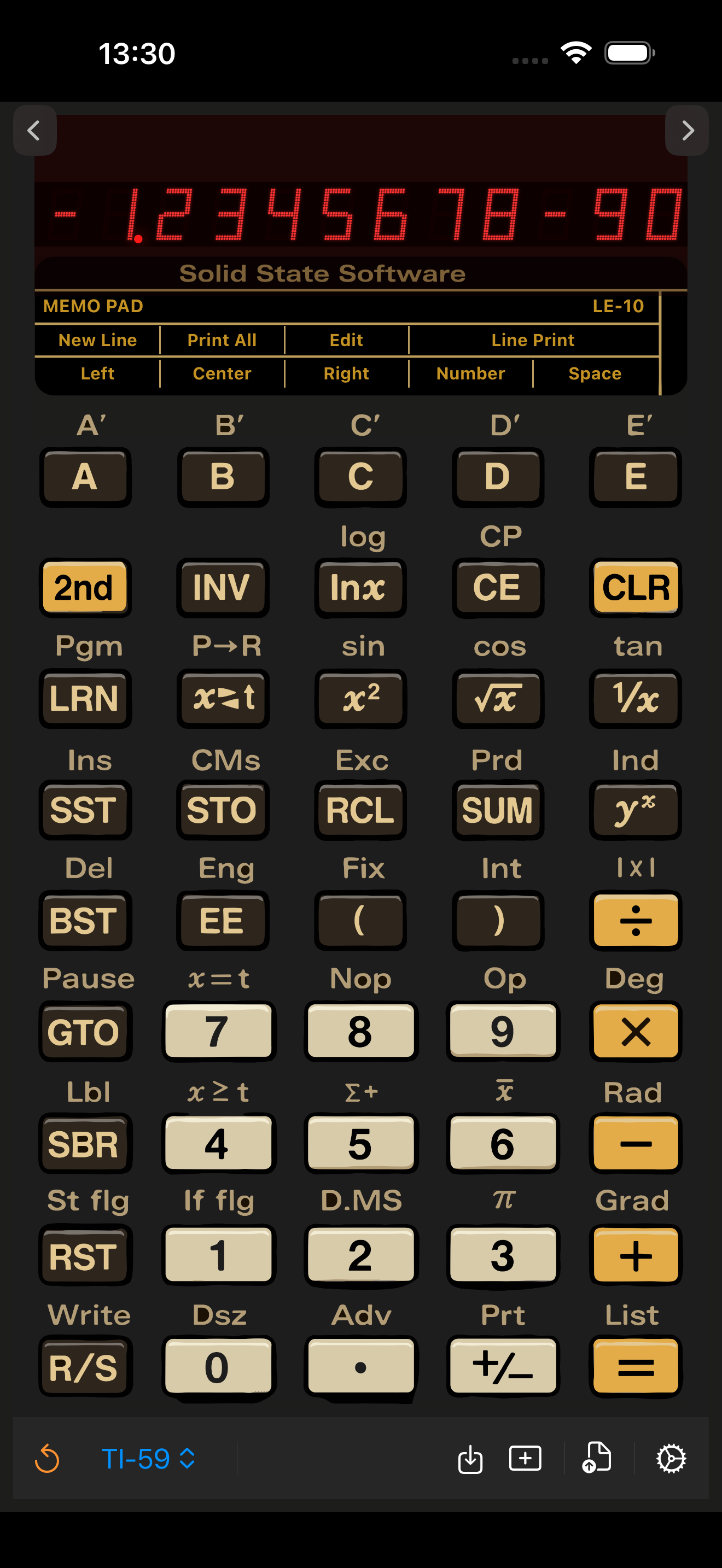
iPhone and iPad
Install from the App Store, then open the app and pick a model. Presets load from the file picker inside the app.
Mac, Windows and Linux
Download the free release from GitHub: a disk image for the Mac, an installer for Windows, an AppImage for Linux.
Where to start
Installing on iPhone and iPad
Installing on Mac
Installing on Windows and Linux
Loading a preset
Using the debugger
Printer and card reader
What Calc-U 59 emulates
Calc-U 59 emulates the TI Programmable 59 that Texas Instruments introduced in 1977, along with its two smaller siblings, the TI-58 and the constant-memory TI-58C. It does not reimplement the maths: the app runs the calculators' original ROM through an emulated processor, at the original speed, so every result, the flashing overflow display and the documented quirks behave the way the hardware did. The LED display even looks the way the eye saw the real one, dimming while the calculator works.
- Switchable TI-59 / TI-58 / TI-58C models, with the correct memory partition and startup state for each.
- All fourteen Solid State Software library modules, from the Master Library to the RPN Simulator — see the full list.
- Magnetic cards read and written as files, synced between your Apple devices over iCloud.
- The PC-100C thermal printer, in both a dot-matrix view and a copyable text view.
- A CPU-level debugger with a live program listing, a ROM instruction trace, and binary trace capture for offline analysis.
- Plain-text .ti59 preset files that carry a program, the registers, a cue card and a module selection in one readable file.
New to these machines, or trying to work out which model you owned? Start with the background on the TI-59 and TI-58 →
Available now
The Mac, Windows and Linux builds ship free from GitHub Releases. The iPhone and iPad build is on the App Store. Calc-U 59 is free software under the GNU GPL version 3; the source code is on GitHub.